If you originally selected a short-term plan but want to keep using your service past your current end date, you can do so by switching to one of our ongoing plans via your Mobal online account: www.mobal.com/myaccount
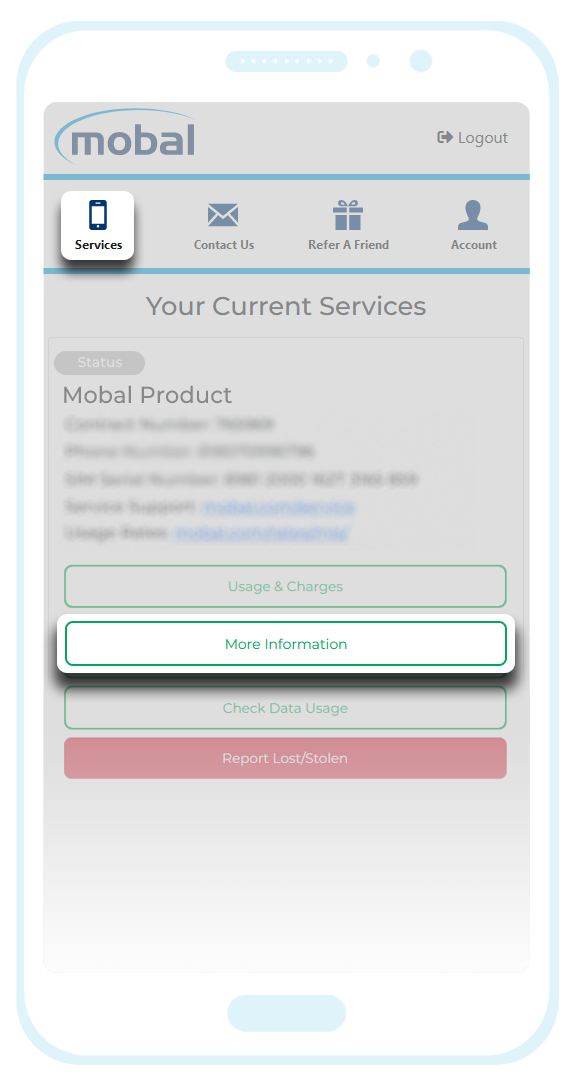
Once you have logged in to your Mobal online account (MyAccount), please visit the "Services" section and then click on the "More Information" button found next to the relevant SIM / eSIM -
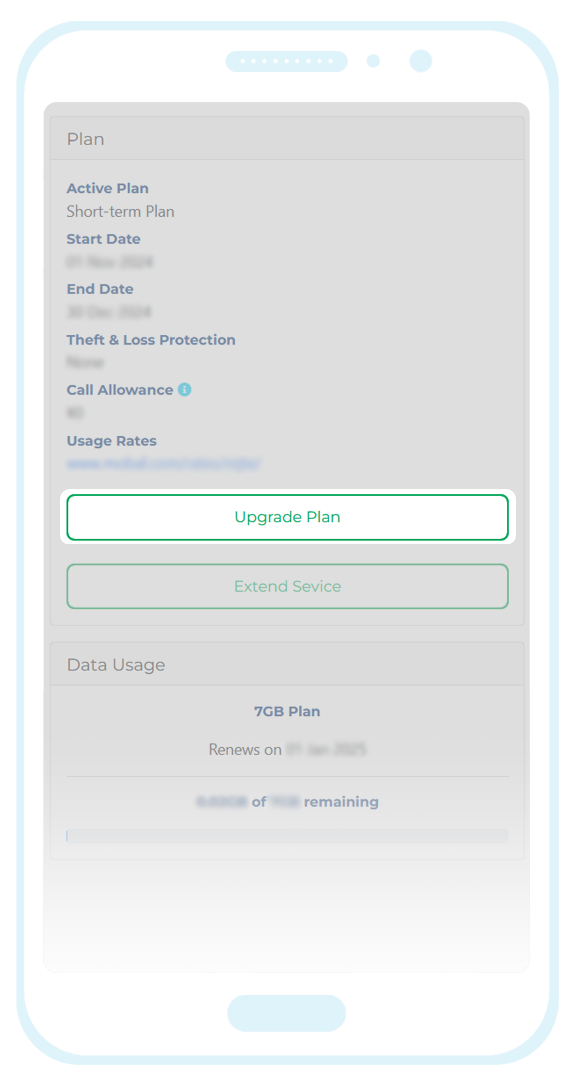
On the next screen, please scroll down to the "Plan" section.
You can then click on the "Upgrade Plan" button and choose the ongoing plan you would like to switch to.
Any unused days from your current short term plan will then be added to your account as a credit and this amount will be deducted from your next bill.
To ensure your request is processed in time, please submit your request at least 48 hours prior to the current plan end date.
If you proceed with upgrading to a long term plan, your plan will remain active (and you will be charged full plan fees on the 1st of each month) until you manually terminate your plan. Instructions on how to terminate your plan can be found here: Termination Requests
Additional Note - Voice eSIM (Product Code: ES30)
If you switch from a short term plan to an ongoing plan, please be advised that your high speed data allowance will not be increased until the 1st of the following month.
Additional Note: If you have purchased a Data-Only SIM / Data-Only eSIM, it will not be possible to extend the plan duration or increase the data allowance (as these are pre-paid services which cannot be altered). The only solution would be to purchase additional SIMs / eSIMs to cover your needs.
If this article didn’t help, head back to the home page to see other solutions OR submit a support ticket using the button below.