If you have purchased / intend to purchase a new device and wish to continue using our services, the options available will depend on the specific product type.
For more information, please refer to the relevant guide below -
Voice+Data eSIMs
Click here for more information
Your eSIM is currently linked (via the “EID” number) to the original device you installed the eSIM on.
If you have now switched to a new device and wish to transfer the eSIM, you will be required to login to your Mobal online account (MyAccount) to submit a re-issue request.
Please note that your eSIM must be on an active plan in order to submit a reissue request.
Once you have logged in to your account, please visit the "Services" section and then click on the "More Information" button found next to the relevant eSIM.
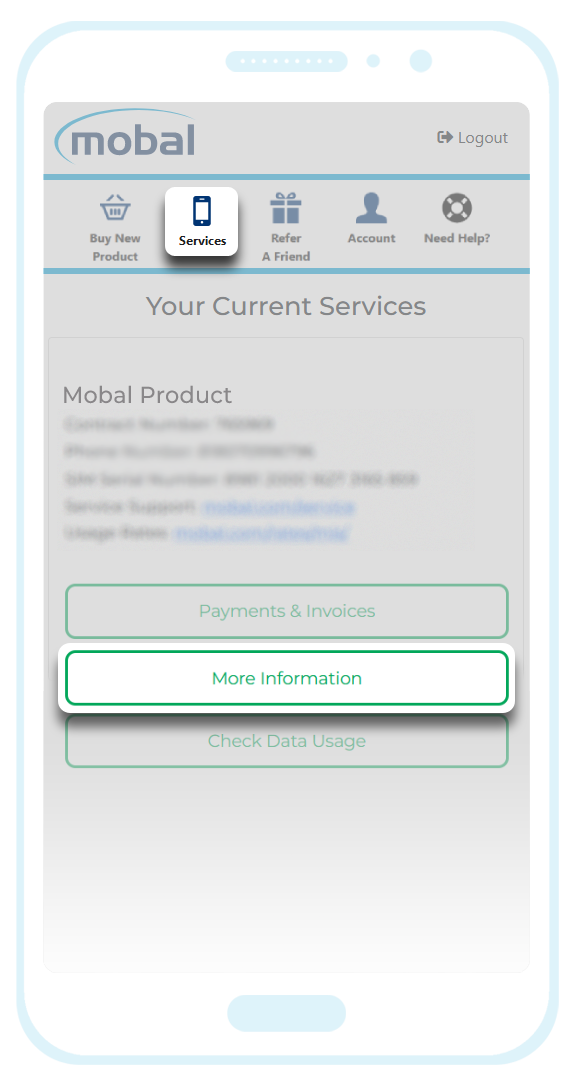
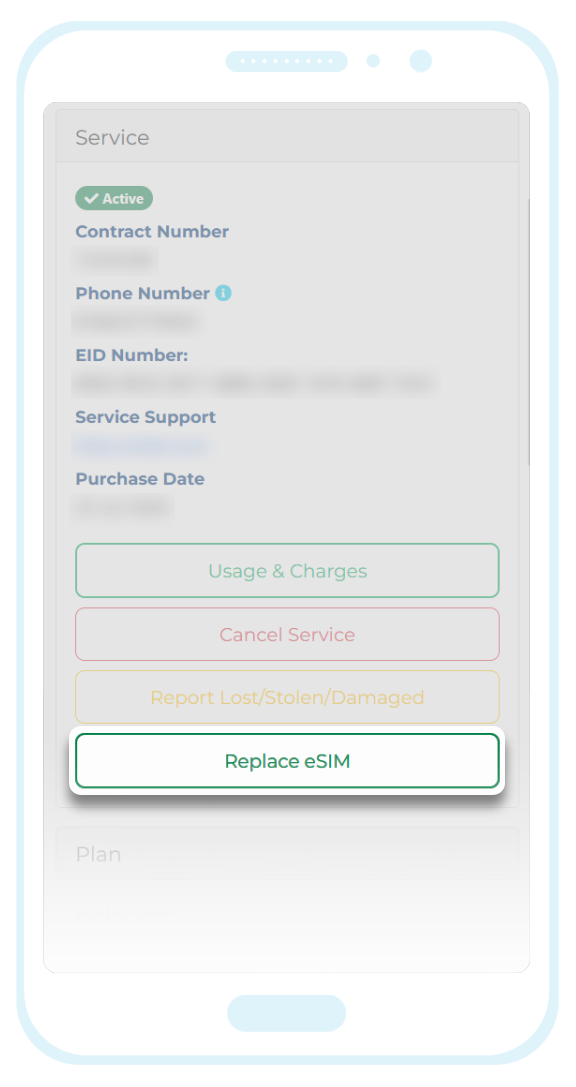
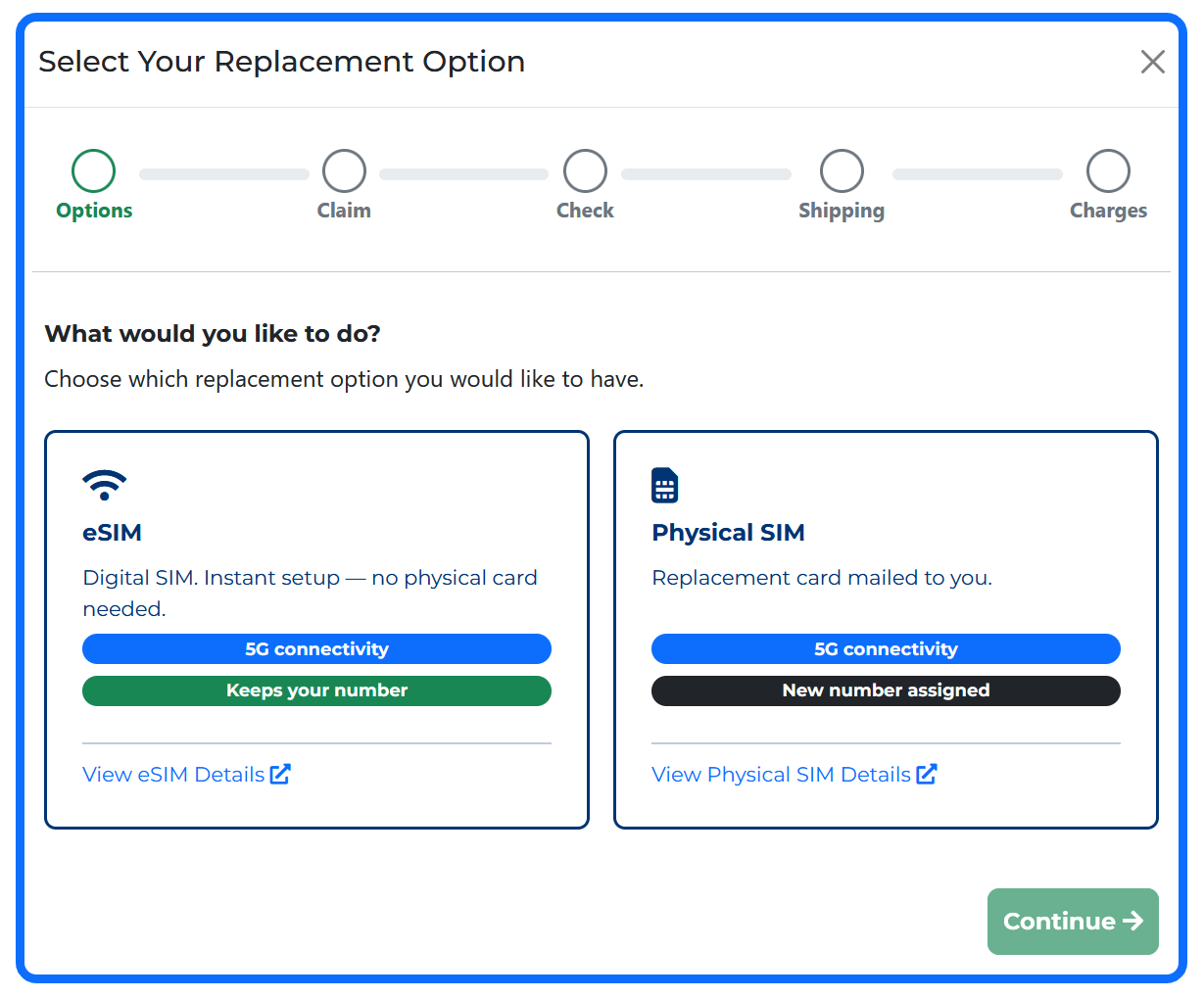
If you signed up for the Mobal ‘All-Risk Protection Plan’ when you first activated your eSIM, this plan will cover the cost of a free replacement eSIM. If you did not sign up for this plan, you will be required to pay for the replacement eSIM at the eSIM purchase price advertised on our website.
Even if you are covered by the protection plan however, you may still be charged a processing fee of ¥200 when requesting the re-issue (as the process may fail if the charge is ¥0). If a ¥200 fee is processed however, we can confirm that this amount will be returned to you as an account credit (which will be deducted from your next bill).
Once we have successfully reissued your eSIM, we will send you an email confirmation and you may also receive a "Push Notification" from Docomo (indicating that the eSIM is ready for installation).
Please note that it can take up to 24 hours for the eSIM to be reissued.
Voice Lite eSIMs
Click here for more information
If you have now switched to a new device and wish to transfer the eSIM, you will be required to login to your Mobal online account (MyAccount) to submit a re-issue request.
However, please be advised that it will not be possible to transfer the phone number to the reissued eSIM (it will be assigned a new phone number).
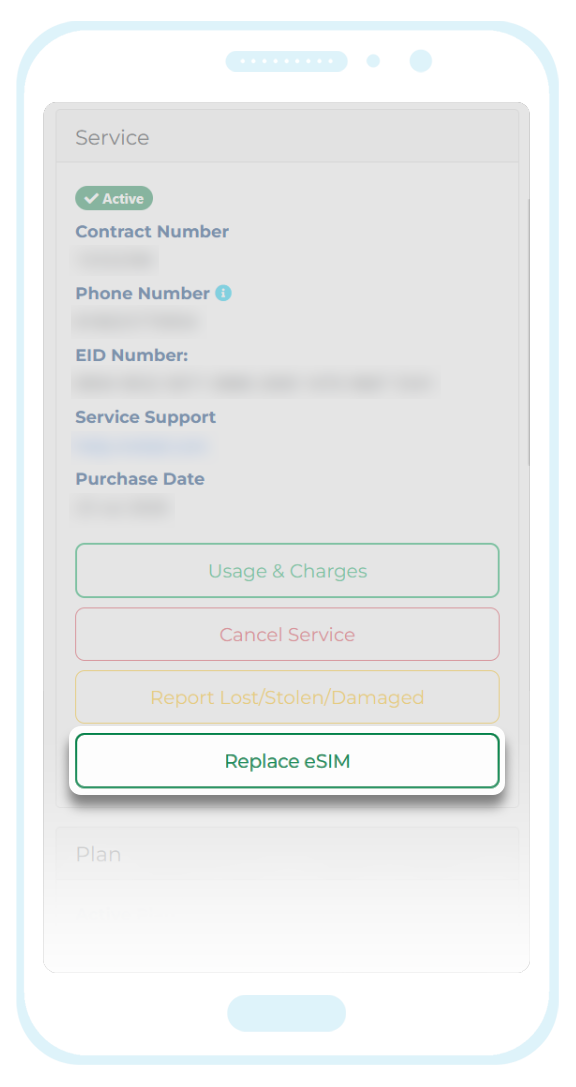
Once you have logged in to your account, please visit the "Services" section and then click on the "More Information" button found next to the relevant eSIM.
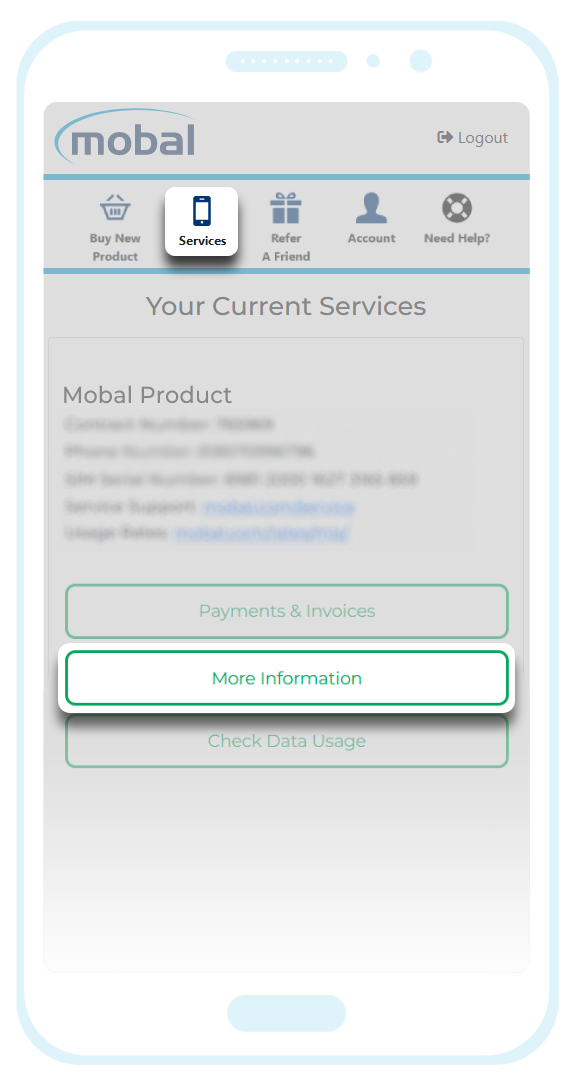
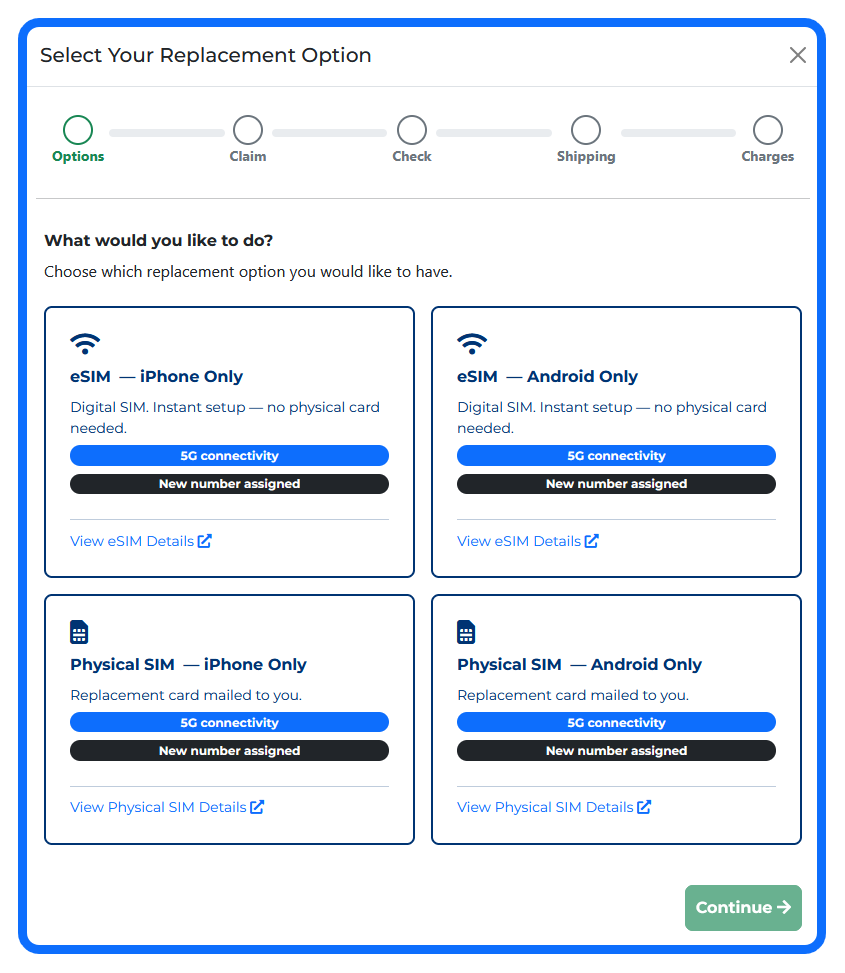
As mentioned above however, your phone number cannot be transferred and so if you request a replacement, it will be assigned a new phone number.
Please also note that our "Voice Lite" products are device specific (to Android or iPhone handsets) and so you will need to ensure you are selecting the correct version when requesting the replacement.
This product is also available as an eSIM or a physical SIM (and so ensure you select the correct option based on your requirements).
Even if you are covered by the protection plan, however, you may still be charged a processing fee of ¥200 when requesting the re-issue (as the process may fail if the charge is ¥0). If a ¥200 fee is processed however, we can confirm that this amount will be returned to you as an account credit (which will be deducted from your next bill).
Once you have requested a replacement, your original eSIM and phone number will be permanently disconnected.
To activate your new eSIM, you would need to follow the instructions found in this guide:
Activation Guide (Voice Lite SIM / eSIM)
Data-Only eSIMs
Click here for more information
Our Data-Only eSIM products operate as a pre-paid service which means that no changes can be made (to the plan or the plan duration etc) and unfortunately, the eSIM cannot be transferred to a new device.
If you have purchased a new device and wish to continue using our Data-Only eSIM service, the only solution would be to purchase a new eSIM.
New orders can be placed directly from your Mobal online account (MyAccount) by clicking on the "Buy New Product" button located at the top of your account.
Physical SIM Cards
Click here for more information
If you have purchased a new phone (and wish to continue using your Mobal SIM card), you can simply remove the SIM card from the original device and install it in the new one.
However, you would need to ensure that the new device meets the compatibility requirements mentioned here: Compatibility Guide
You must also ensure that you reinstall our APN Profile which can be found in our support guides here: Data Setup Guides
Additional Note: If you are using a "Voice Lite SIM" (or the original version of our Voice+Data SIM card referred to as “V1” or “Version 1” on your account), the SIM card will only be compatible with the original device type. If you purchased the iPhone version of the SIM card for example, it will only be compatible with other iPhone handsets.
If this article didn’t help, head back to the home page to see other solutions OR submit a support ticket using the button below.