If you are currently using a physical SIM card and would like to switch to an eSIM (or vice versa), please refer to the relevant product guide (by selecting your current product type) from the options below -
Voice SIM Cards
Click here for more information
Voice SIM Card (Latest Version)
- Voice+Data SIM Cards purchased after July 21st 2026
- Product code "SP30" will be shown within your account
Click here for more information
If you would like to switch from your current SIM card to the latest Voice eSIM service (and retain the current phone number), please login to your Mobal online account (MyAccount).
Once you have logged in, visit the "Services" section and then click on the "More Information" button as shown below -
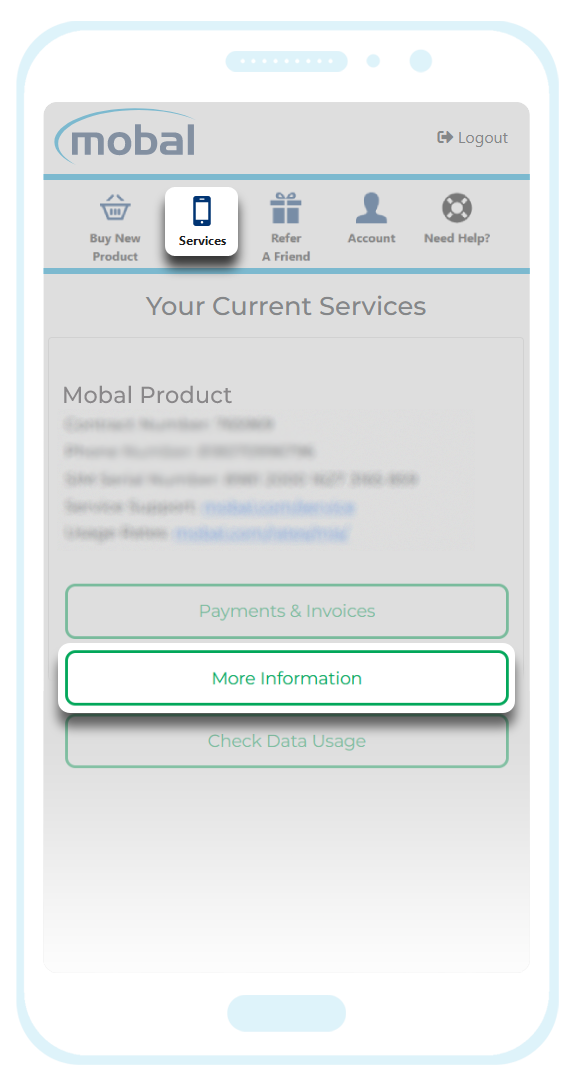
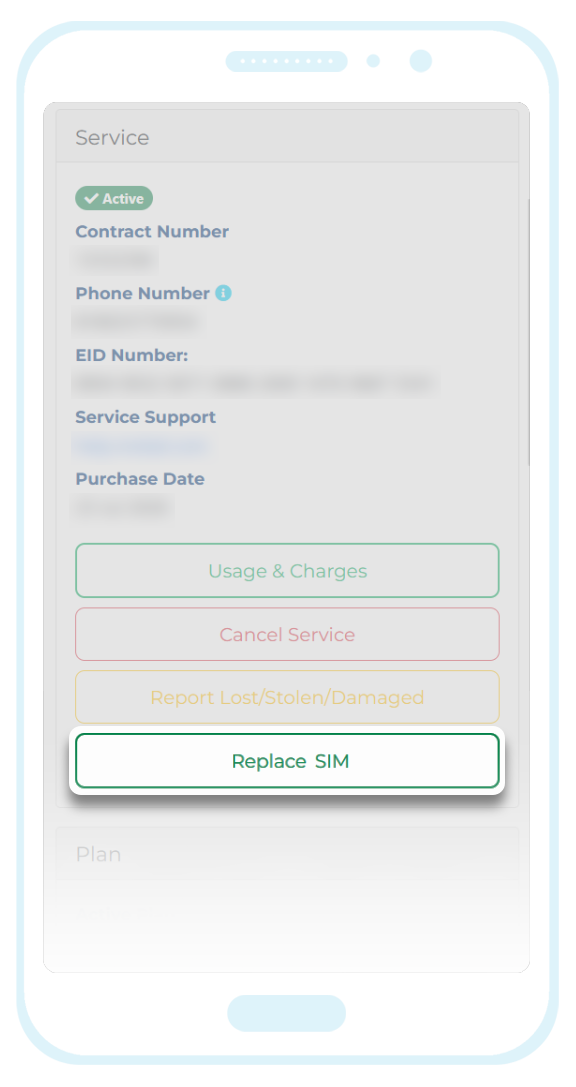
You will then be offered the following options -
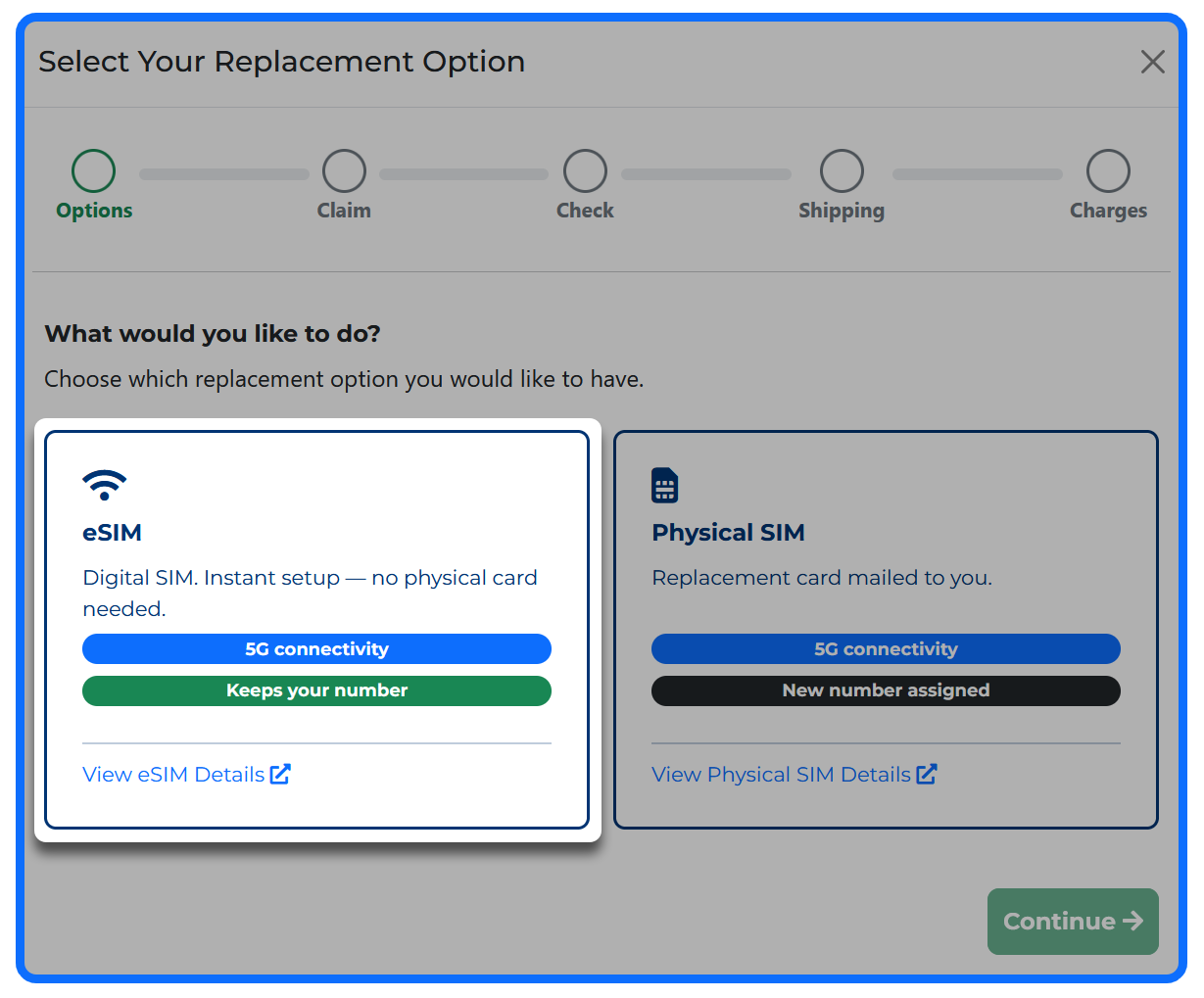
You can then select the "eSIM" option with "5G Connectivity" and this will allow you to switch to the eSIM service while also retaining your current phone number.
Before choosing this option however, please ensure your device meets the compatibility requirements shown here: Compatibility Checks
Please note that if you request a replacement of the same product type (by selecting the "Physical SIM" option again), it will not be possible to retain your current phone number.
Voice+Data SIM Card (v2)
- SIM Cards purchased between October 12th 2021 and July 20th 2026
- Product code "SP142" will be shown within your account
Click here for more information
If you would like to switch from your current SIM card to the latest Voice eSIM service (and retain the current phone number), please login to your Mobal online account (MyAccount).
Once you have logged in, visit the "Services" section and then click on the "More Information" button as shown below -
You will then be offered the following options -
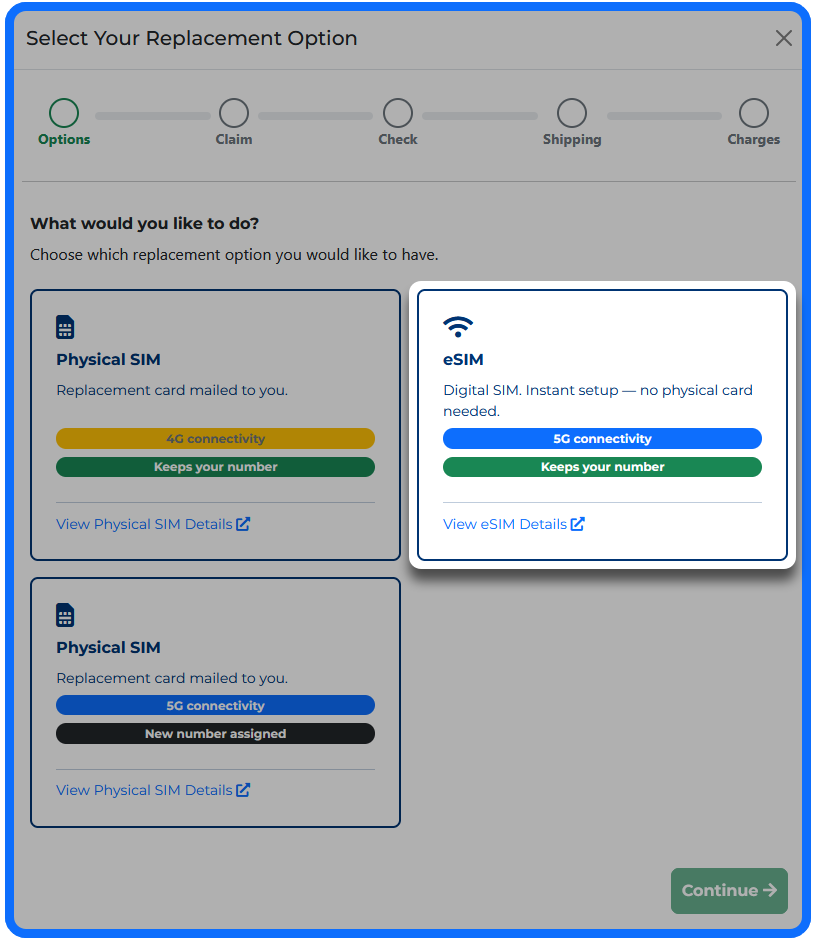
You can then select the "eSIM" option with "5G Connectivity" and this will allow you to switch to the latest "Voice+Data 5G eSIM" service while also retaining your current phone number.
Before choosing this option however, please ensure your device meets the compatibility requirements shown here: Compatibility Checks
Voice+Data SIM Card (v1)
- Voice+Data SIM Cards purchased before October 12th 2021
- Product code "SP135" or "SP136" will be shown within your account
Click here for more information
If you would like to switch from your current SIM card to the latest Voice eSIM service, you can place a new order directly from your Mobal online account (MyAccount).
New orders can be placed by clicking on the "Buy New Product" button (located at the top of your account).
However, please be advised that this will not allow you to transfer your current phone number to the replacement eSIM (the eSIM would be assigned a new phone number once active).
Before making a decision, please ensure your device meets the compatibility requirements shown here: Compatibility Checks
If you proceed with placing a new order, please also ensure you submit a termination request for the original SIM card (once it's no longer required) by following the instructions found here: Termination Guide
Voice eSIMs
Click here for more information
If you are not sure which version you are currently using, please login to your Mobal account (MyAccount) and check the "Product Code" to find the relevant guide below.
Voice eSIM (Latest Version)
- Voice+Data eSIMs purchased after March 18th 2026
- Product code "ES30" will be shown within your account
Click here for more information
If you would like to switch from your current eSIM to the latest Voice SIM Card product, you can request this directly from your Mobal online account (MyAccount).
However, please be advised that it will not be possible to retain your current phone number when switching to the physical SIM card version of this service (and so a new phone number would be assigned). This is due to restrictions that are out of our control and so we are unable to make any exceptions.
If receiving a new phone number would be acceptable, you can follow the instructions below -
Once you have logged in, visit the "Services" section and then click on the "More Information" button as shown below -
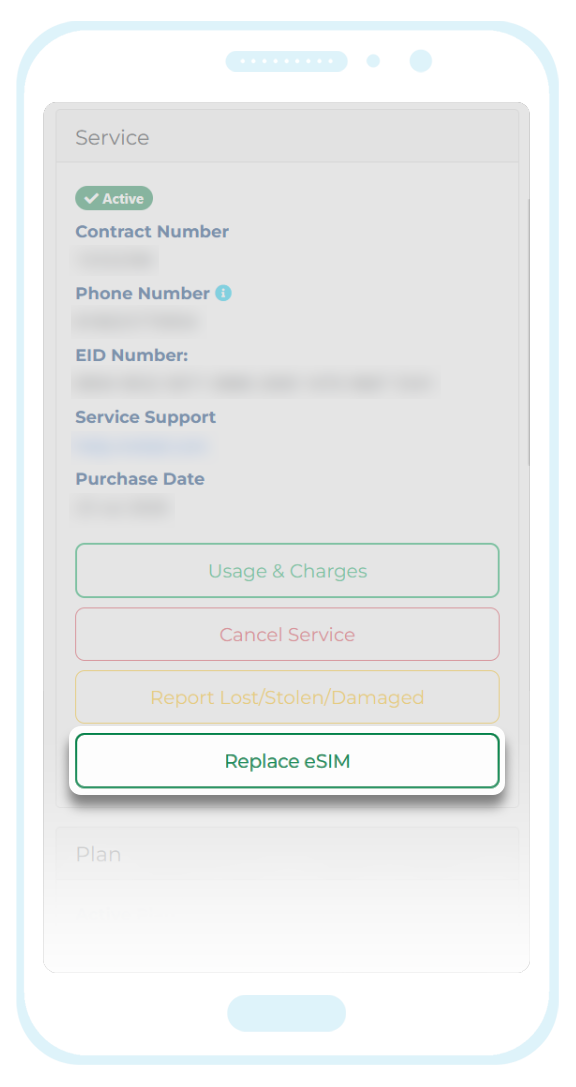
You will then be offered the following options -
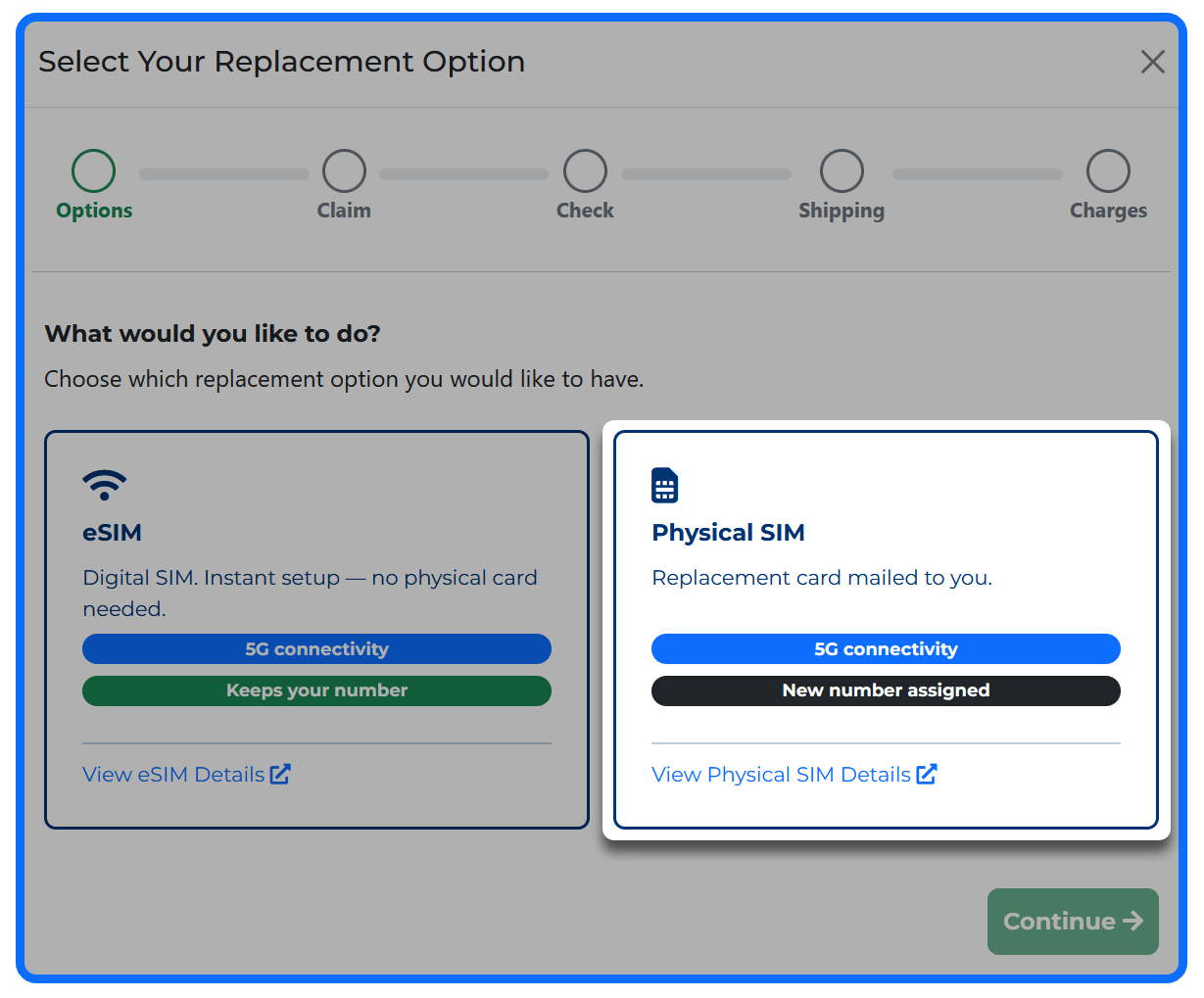
You can then select the "Physical SIM" option but as mentioned above, the replacement SIM will be assigned a new phone number.
Before purchasing a physical SIM card however, please ensure your device meets the compatibility requirements shown here: Compatibility Checks
Voice eSIM (Previous Version)
- Voice+Data eSIMs purchased before March 18th 2026
- Product code "ES8" will be shown within your account
Click here for more information
If you would like to switch from your current eSIM to the latest Voice SIM Card product, you can request this directly from your Mobal online account (MyAccount).
However, please be advised that it will not be possible to retain your current phone number when switching to the physical SIM card (and so a new phone number would be assigned). This is due to restrictions that are out of our control and so we are unable to make any exceptions.
If receiving a new phone number would be acceptable, you can follow the instructions below -
Once you have logged in, visit the "Services" section and then click on the "More Information" button as shown below -
You will then be offered the following options -
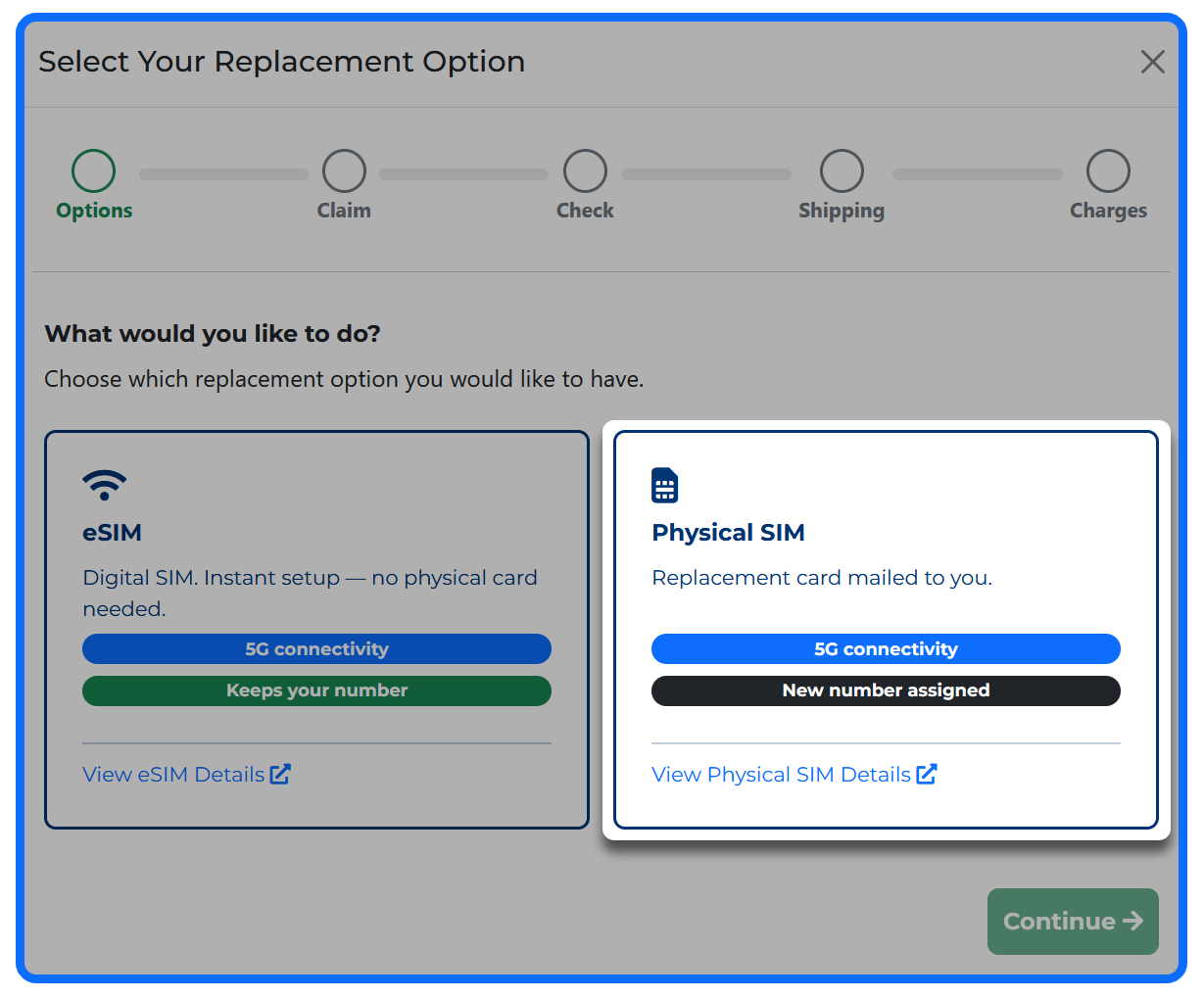
You can then select the "Physical SIM" option but as mentioned above, the replacement SIM will be assigned a new phone number.
Before purchasing a physical SIM card however, please ensure your device meets the compatibility requirements shown here: Compatibility Checks
Voice Lite SIM Cards / eSIMs
Click here for more information
If you would like to switch from your current "Voice Lite" SIM to an eSIM (or vice versa) you can request this directly from your Mobal online account (MyAccount).
However, please be advised that phone numbers cannot be transferred between our "Voice Lite" products and so if you request a replacement SIM / eSIM, it will be assigned a new phone number once active.
If this would be acceptable, please follow the instructions below -
Once you have logged in, visit the "Services" section and then click on the "More Information" button as shown below -
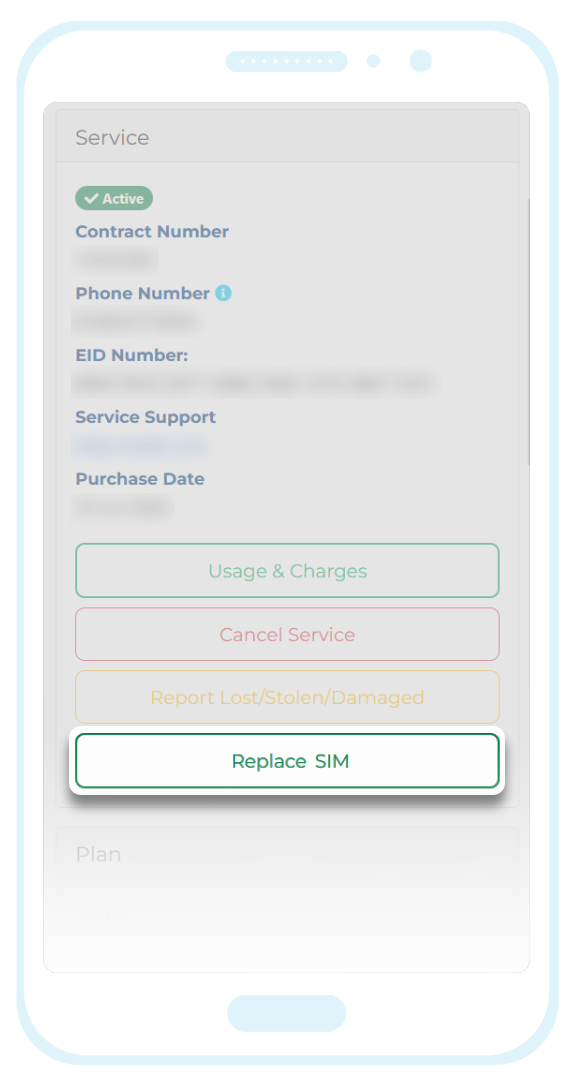
You will then be offered the following options -
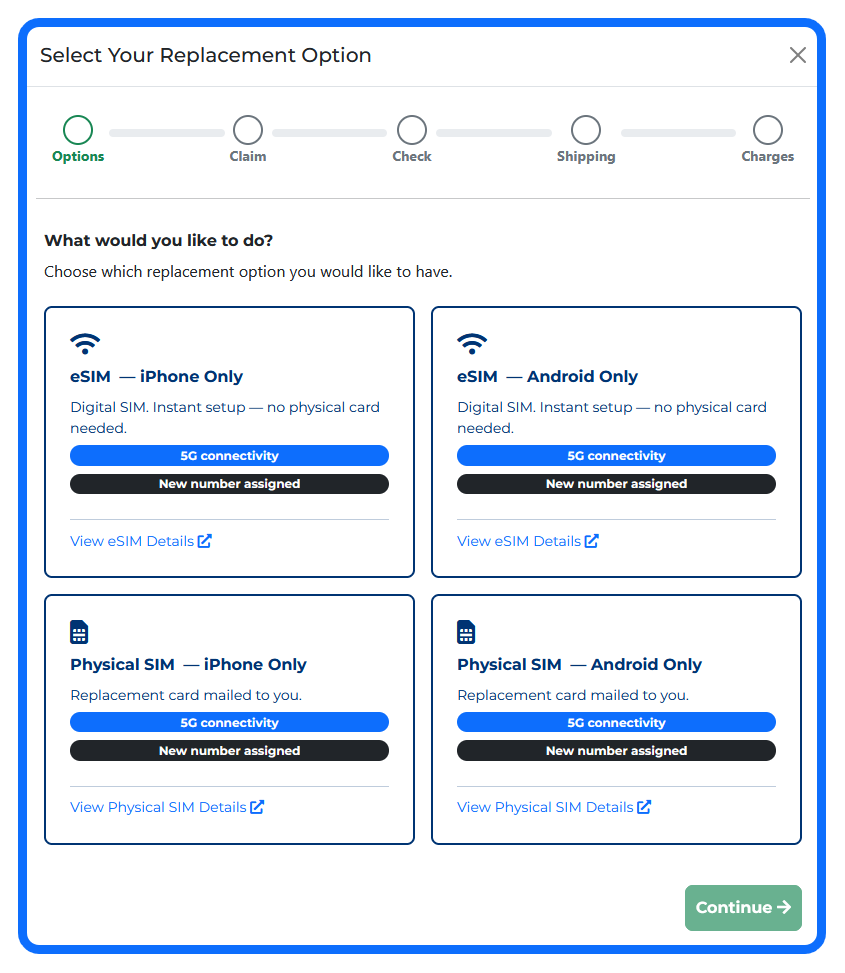
Please note that phone numbers cannot be transferred between our "Voice Lite" products (due to restrictions that are out of our control) and so if you request a replacement SIM or eSIM, it will be assigned a new phone number.
Please also note that our "Voice Lite" products are device specific (to Android or iPhone handsets) and so you will need to ensure you are selecting the correct version when requesting the replacement.
If you are switching to a different product type (i.e. you are switching from a physical SIM to an eSIM for example), we would also recommend checking that your device meets the compatibility requirements: Compatibility Checks
Data-Only SIM Cards / eSIMs
Click here for more information
The Data-Only SIM / eSIM products we offer cannot be converted.
If a different product type is required, simply place a new order directly from your Mobal account (MyAccount).
Once you have logged in to your account, please click on the "Buy New Product" button (located at the top of your account) and then follow the prompts to place a new order.
Before switching to a different product type however, please ensure your device meets all compatibility requirements shown here: Compatibility Checks
If this article didn’t help, head back to the home page to see other solutions OR submit a support ticket using the button below.